Case study · Android · 2019
A pocket body mass index calculator. Type your height and weight, and watch the result count up, fill a colour bar and settle on a category.


An Android app that turns two numbers into a clear answer. It calculates your body mass index, places it in one of eight categories, and keeps a history of every result on the phone.
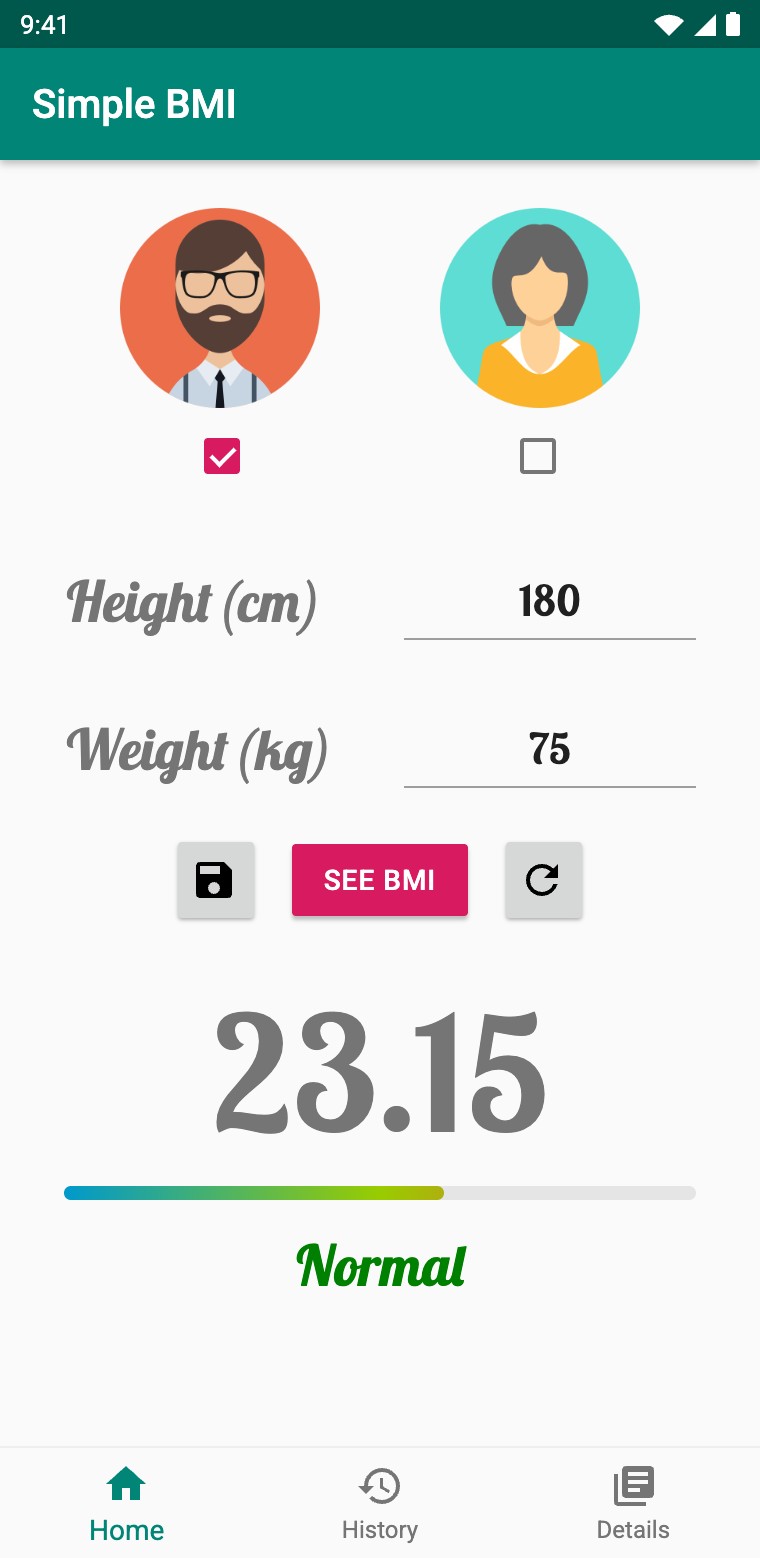
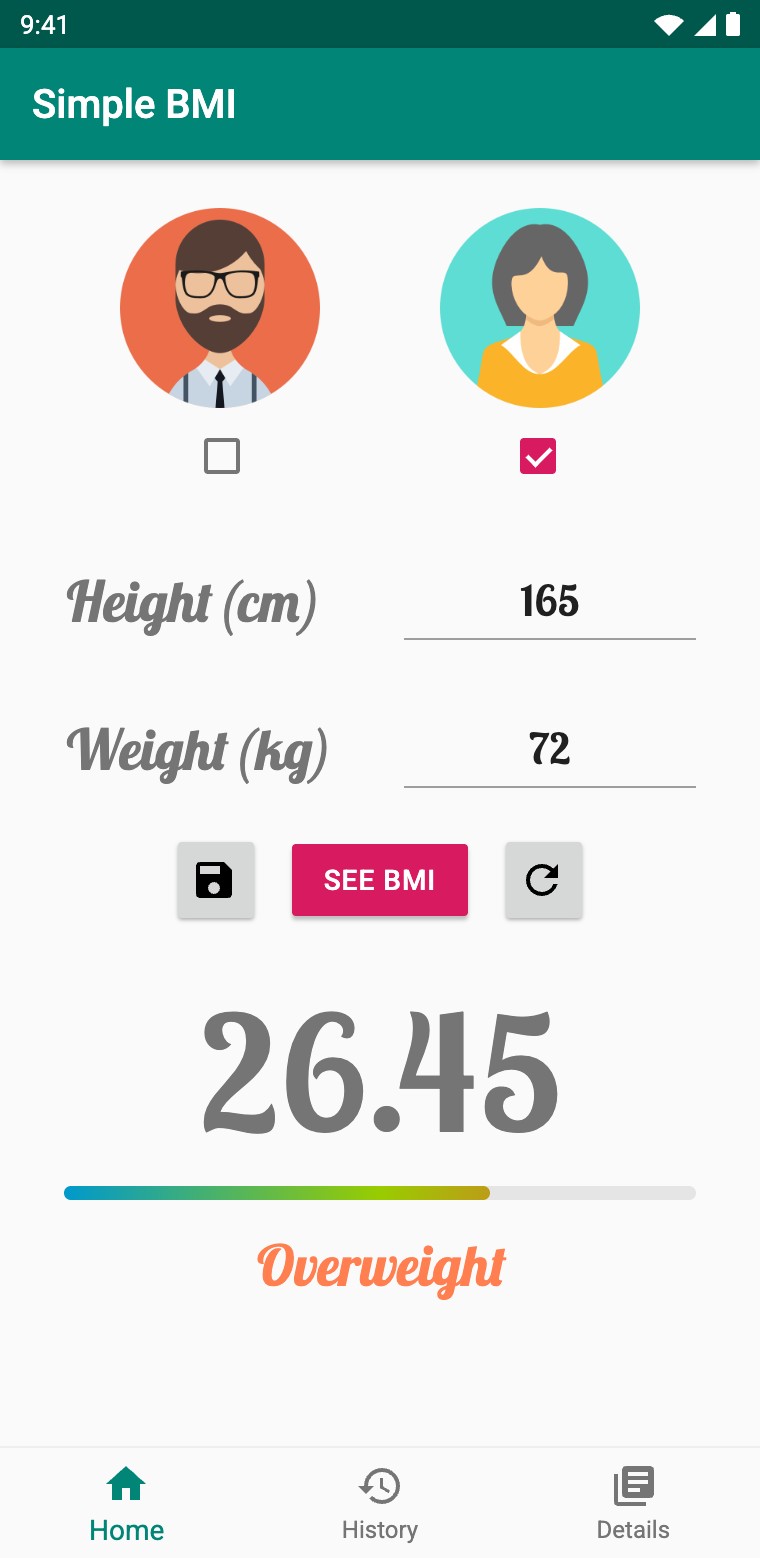
Pick a profile, enter your height and weight, and tap See BMI. Each field is checked before anything runs.
The number counts up, a gradient bar fills behind it, and the category fades in, coloured from blue to red.
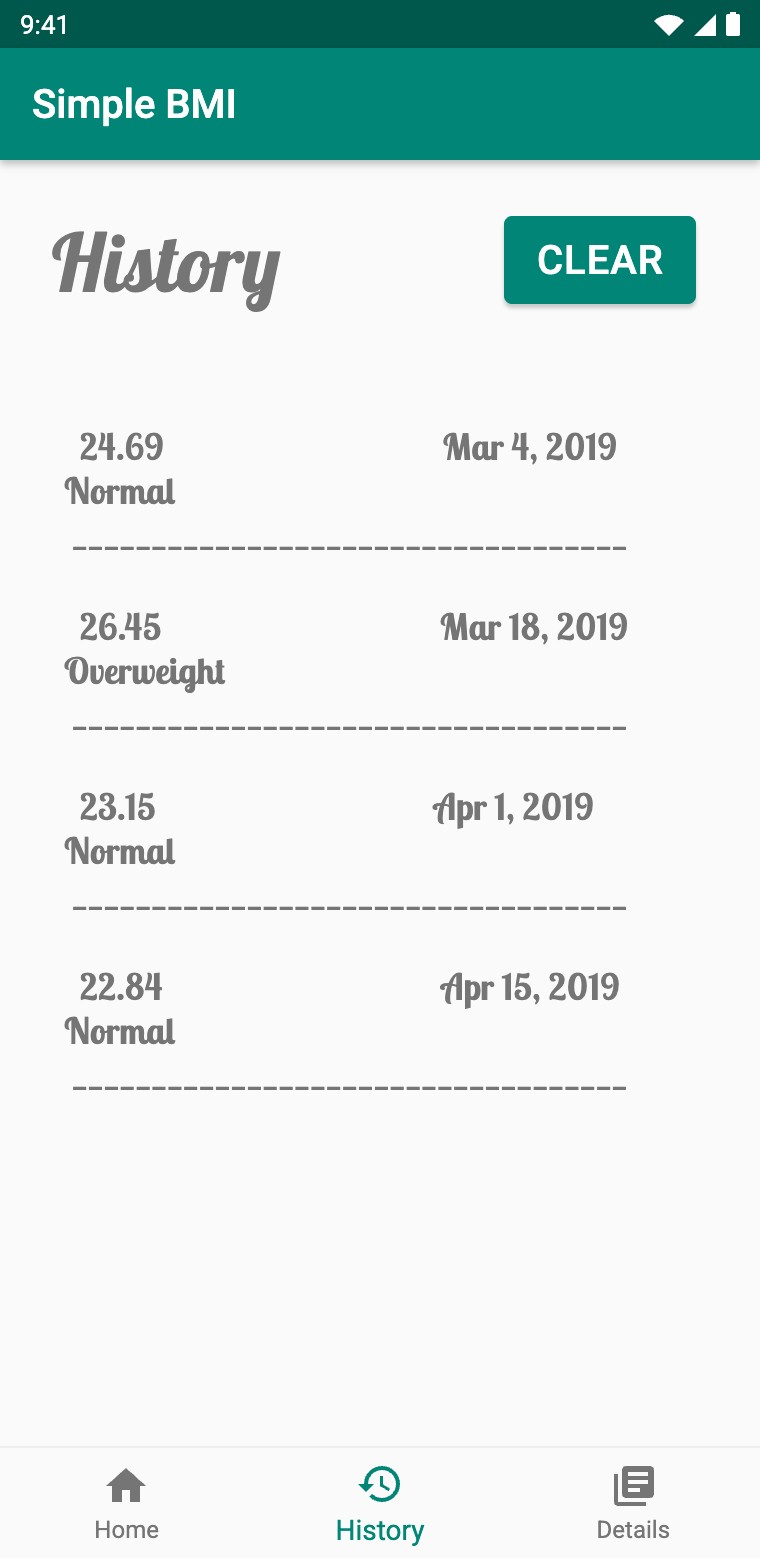
Results go to a History tab with the date, and the last calculation is still there the next time you open the app.
The body mass index is the quickest health check there is: your weight divided by the square of your height. Doing that maths in your head is not, and a bare number does not say much on its own.
Simple BMI does the maths and explains the answer. Two inputs and one tap give you the index, its category and a colour that tells you at a glance where you are. Every result is saved with its date, so you can follow it over time, and nothing ever leaves the phone.
This is the app's Home screen, rebuilt for the web with the same rules and timings. Pick a profile, change the height or weight, and tap See BMI. Leave a field empty to see the checks, and watch each result land in the History list.
0.0
App structure: one activity hosts three fragments, and every result is kept on the device
A splash screen shows the logo for two seconds, then opens the main activity.
A bottom navigation bar swaps three fragments in one shared container.
The Home fragment checks the inputs, works out the index and animates the result.
Each result is handed to History, and both tabs save their state on the phone.
ACTIVITY
The launcher: a full-screen logo with no action bar. A Handler opens the main activity after 2000 ms and closes the splash, so Back never returns to it.
ACTIVITY
The shell: a FrameLayout for the content and a BottomNavigationView with Home, History and Details. It is locked to portrait.
FRAGMENTS
Each tab is a Fragment, replaced in a single transaction when you tap its icon. Home opens first, every time the app starts.
STORAGE
A single local file, sharedPrefs, holds both the last Home result and the full history log. There is no account, no network and no server.
Tapping See BMI first checks the form, in order. With no profile selected, an empty height or an empty weight, a short Toast says what is missing and nothing else runs.
Both fields accept whole numbers only, so the keyboard opens straight on digits. The height is divided by 100 to get metres, the weight is divided by its square, and the result is formatted to two decimals.
75 kg ÷ (1.80 m)² = 23.15
The formula, with the height converted from centimetres to metres
homeFragment · See BMIif (!male && !female) {
Toast.makeText(getActivity(), "Select gender", Toast.LENGTH_SHORT).show();
} else if (heightStr.length() == 0) {
Toast.makeText(getActivity(), "Enter height", Toast.LENGTH_SHORT).show();
} else if (weightStr.length() == 0) {
Toast.makeText(getActivity(), "Enter weight", Toast.LENGTH_SHORT).show();
} else {
double height = Double.parseDouble(heightStr) / 100;
double weight = Double.parseDouble(weightStr);
result = weight / Math.pow(height, 2);
resultString = String.format("%.2f", result);
}
CHECKBOX
The man and woman avatars work like a pair of radio buttons: ticking one clears the other. One must be chosen to continue.
EDITTEXT
Both fields use the number input type and the Lobster Two font, centred under their labels, in cm and kg.
TOAST
Select gender, Enter height or Enter weight: the first problem found is the only one shown, so the message is always short.
FORMAT
The index is shown with two decimals, the same value that goes to the History tab and to local storage.
A number like 23.15 needs context. The app sorts every result into one of eight categories, from the international BMI scale for adults, and gives each family its own colour: blue for underweight, green for normal, coral for overweight and crimson for obese.
The eight categories in the app. The marker follows the calculator above.
homeFragment · categoryif (result < 18.5) {
if (result < 16) status.setText("Very Severely Underweight");
else if (result < 17) status.setText("Severely Underweight");
else status.setText("Underweight");
status.setTextColor(Color.rgb(30, 144, 255));
} else if (result < 25) {
status.setText("Normal");
status.setTextColor(Color.rgb(0, 128, 0));
} else if (result < 30) {
status.setText("Overweight");
status.setTextColor(Color.rgb(255, 127, 80));
} else {
if (result < 35) status.setText("Obese Class 1");
else if (result < 40) status.setText("Obese Class 2");
else status.setText("Obese Class 3");
status.setTextColor(Color.rgb(220, 20, 60));
}
status.startAnimation(fadeIn);

The category is chosen with a simple chain of range checks. The three underweight classes share one colour, and so do the three obese classes, so the colour stays meaningful even when the label is long.
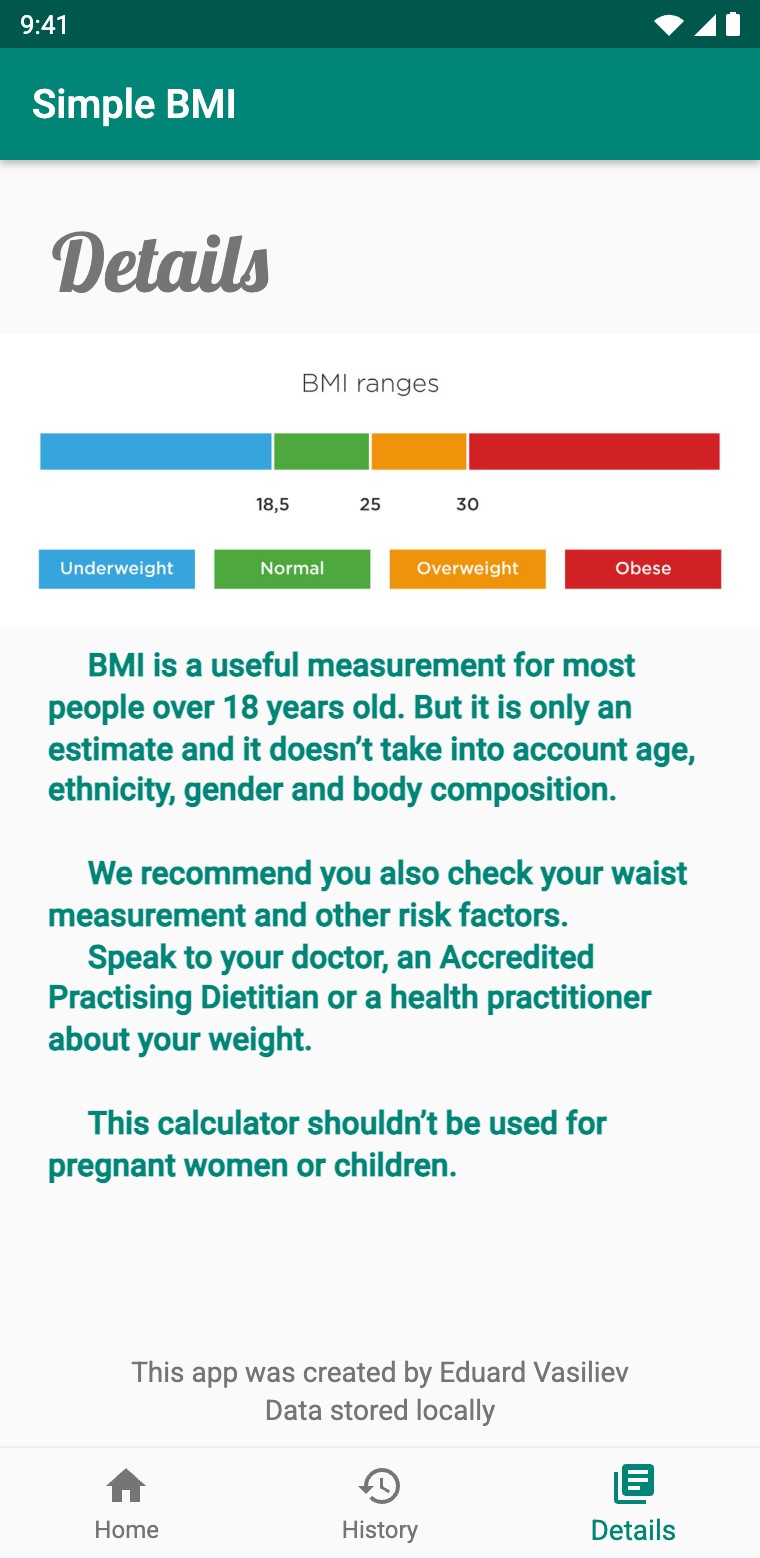
The Details tab completes the picture with the standard BMI ranges chart and a reminder that BMI is only an estimate. It does not account for age, ethnicity or body composition, and it should not be used for children or pregnant women.
The result is revealed in a short, choreographed sequence instead of appearing all at once. A ValueAnimator counts the number up from 0 over one second. At the same time, a background thread fills the gradient bar one step every 25 ms, posting each step to the UI through a Handler.
Once the bar is full, the thread waits 440 ms and fades the category in. 100 ms later, it presses a hidden save button in code, so the finished result is stored without any extra tap.
Count-upValueAnimator · 1000 ms
Progress bar24 steps · 25 ms each
PauseThread.sleep · 440 ms
Status fade-inAlphaAnimation · 500 ms
Auto-savepostDelayed · 100 ms
What happens after one tap on See BMI, for a result of 23.15, slowed down
homeFragment · result animation, condensed// the number counts up from 0 in one second
ValueAnimator animator = ValueAnimator.ofFloat(0f, (float) result);
animator.setDuration(1000);
animator.addUpdateListener(animation ->
textViewBMI.setText(String.format("%.2f", animation.getAnimatedValue())));
animator.start();
// the bar fills one step every 25 ms, on a background thread
new Thread(() -> {
while (progress < Math.min(result, 40)) {
progress++;
SystemClock.sleep(25);
mHandler.post(() -> progressBar.setProgress(progress));
}
SystemClock.sleep(440);
mHandler.post(showStatus);
mHandler.postDelayed(() -> saveButton.performClick(), 100);
}).start();
ANIMATOR
A ValueAnimator from 0 to the result, formatted to two decimals on every frame, in the 80 sp Lobster Two display.
PROGRESSBAR
A custom layer-list drawable: a grey track and a clipped blue to green to red gradient. The scale ends at 40.
ANIMATION
An AlphaAnimation of 500 ms brings the category in, coloured for its range.
STATE
The result, the inputs, the bar and even the text colour are saved, so the screen looks the same when you come back.
The app is called Simple BMI. It uses the standard teal AppCompat theme with pink accents, friendly avatar illustrations, and the hand-lettered Lobster Two typeface, loaded as a Downloadable Font from Google Fonts instead of being bundled with the app.
LAUNCH
The BMI gauge logo and the app name, for two seconds while the app starts.
HOME
Profile, height and weight on top. The result, the bar and the coloured category below.
HISTORY
Every result with its date and category, newest at the bottom, with a Clear button.
DETAILS
The BMI ranges chart, health advice and a note that all data stays on the device.
When a result is saved, Home packs the value, the category and today's date into a Bundle and hands it to the History fragment, while you stay on Home and a Toast confirms BMI record saved.
History appends the entry to its log and writes the whole log to SharedPreferences. Values are padded to five characters, so 9.50 becomes 09.50 and the dates line up, and anything above 99.99 is shown as >40.0. Home saves its own screen state as well, under 8 keys, so switching tabs or closing the app never loses the last result.
homeFragment → historyFragment// homeFragment: hand the latest result to the History tab
Bundle bundle = new Bundle();
bundle.putString("passResult", textViewBMI.getText().toString());
bundle.putString("passStatus", status.getText().toString());
bundle.putString("passDate", currentDate);
historyFragment.setArguments(bundle);
// historyFragment: append it to the log and save the whole log
if (result.length() == 4) result = "0" + result;
else if (result.length() > 5) result = ">40.0";
textView.append("\n " + result + " " + date + "\n" + status + "\n");
SharedPreferences sp = getActivity().getSharedPreferences("sharedPrefs", Context.MODE_PRIVATE);
sp.edit().putString("HISTORY", textView.getText().toString()).apply();
HISTORY
Plain text, one entry per result: value, date, category and a divider line, stored under a single key.
HOME
Profile, both inputs, the value, the bar progress, the label and its colour, restored when Home opens again.
DIALOG
An AlertDialog asks Are you sure? before the log is wiped, since the data cannot be recovered.
HOME
The refresh button clears the profile, both fields, the number and the bar, and saves that empty state too.
JAVA
Hosts the fragment container and the bottom navigation, swapping tabs with the support FragmentManager.
JAVA
Validation, the formula, the animations, the categories and the saved state of the calculator.
JAVA
Receives each result in a Bundle, keeps the scrolling log and clears it after a confirmation.
JAVA
The ranges chart and the health notes, with the credits and the Data stored locally promise.
A small, complete Android app: input checks before any maths, a result that animates into place, eight colour-coded categories, and a history that survives restarts, all offline and with no permissions.
Store history in a Room database and draw it as a chart, add imperial units and decimal input, keep state in a ViewModel, replace the background thread with a property animation, and move to AndroidX and Material Components.