Movie Stack logo

Case study · Personal project · Android · 2021

Movie Stack

A pocket cinema of movie trailers. Pick a genre, scroll the picks and press play, without ever leaving the app.

JavaAndroid SDKAndroidXConstraintLayoutCardViewMaterial ComponentsYouTube Android Player APIProperty animationsGoogle FontsAndroid StudioGradle
Explore the app flowSee it move
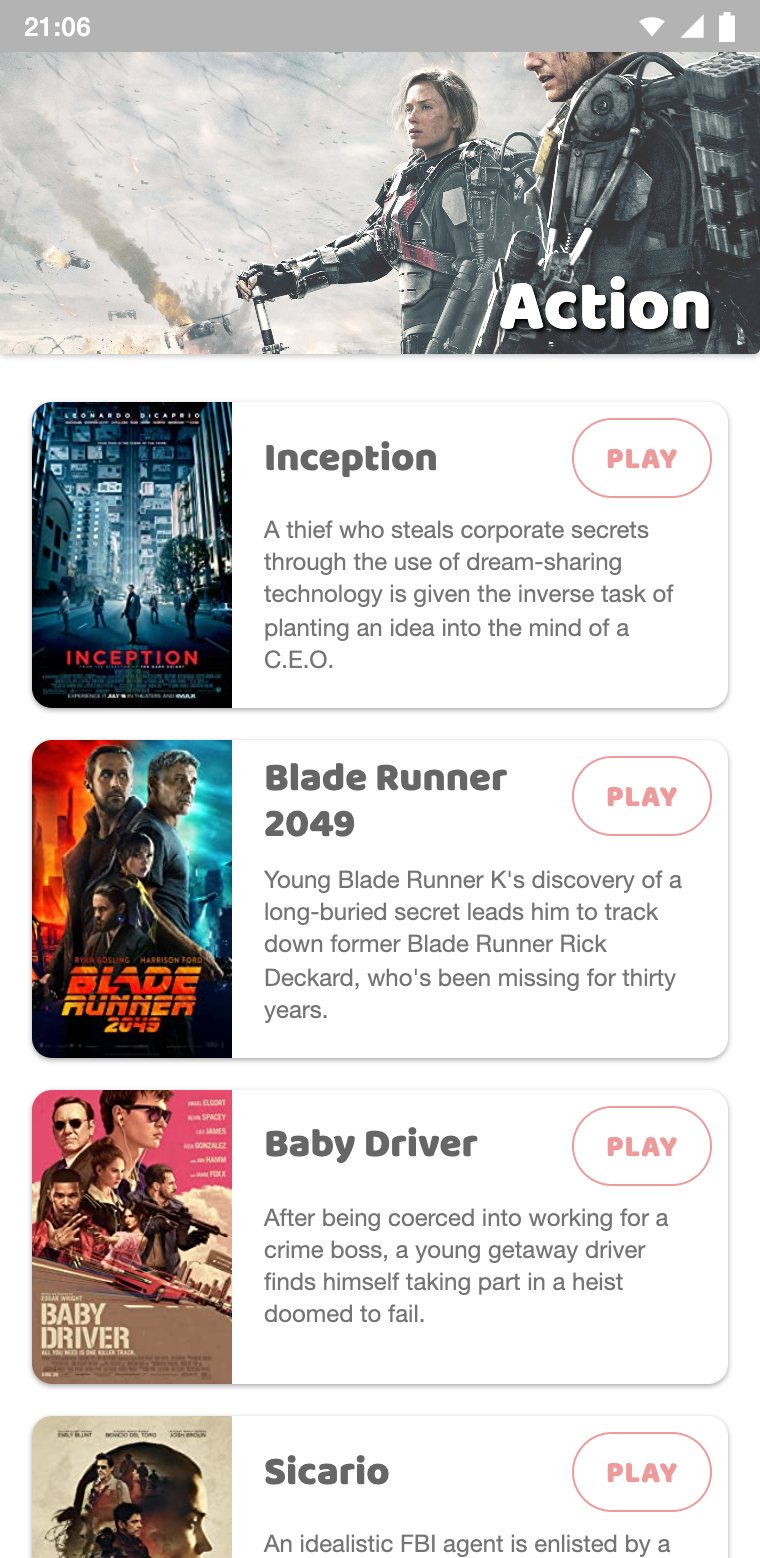
Action list with four movie trailers
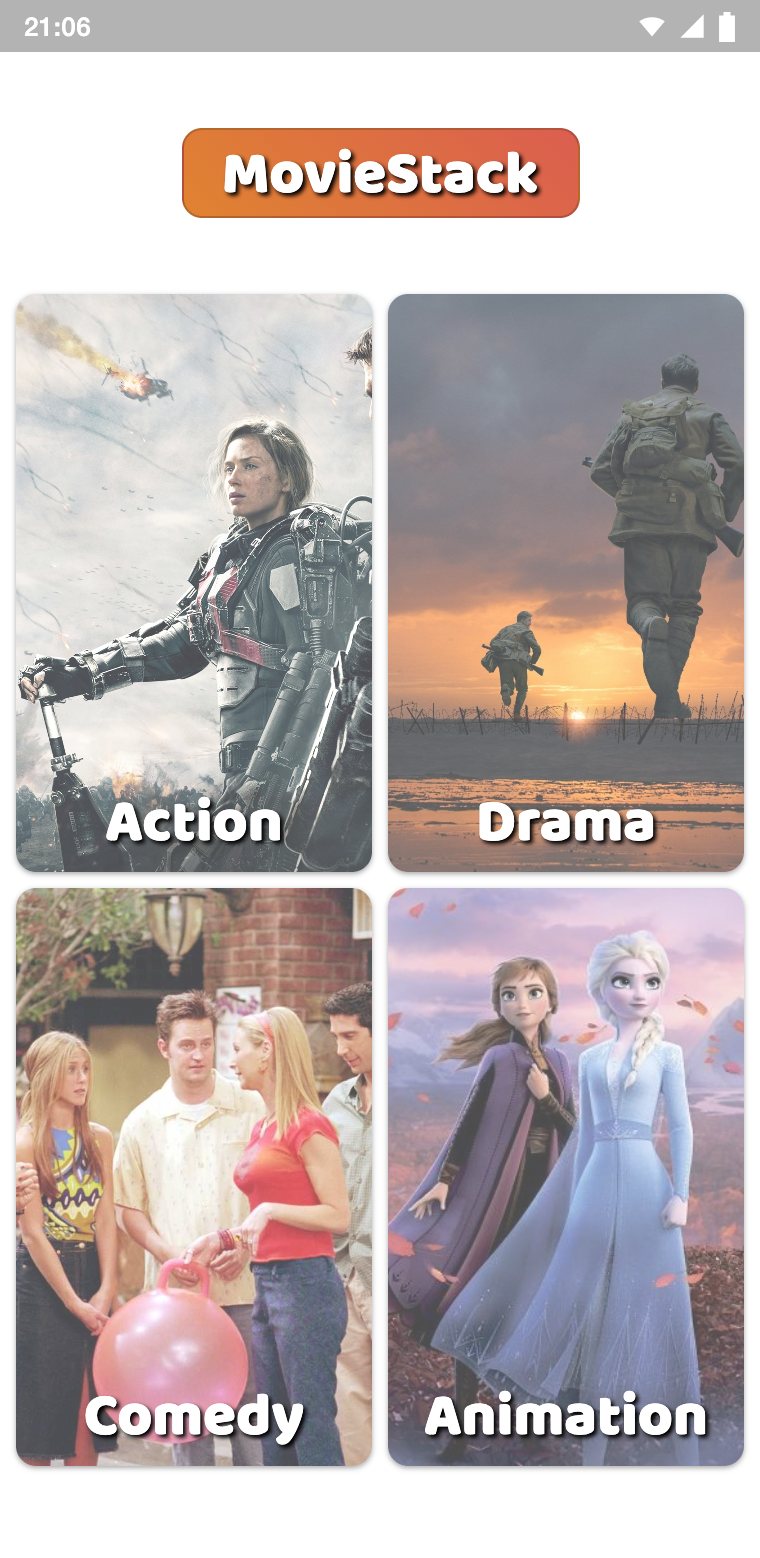
Home screen with the four genre cards
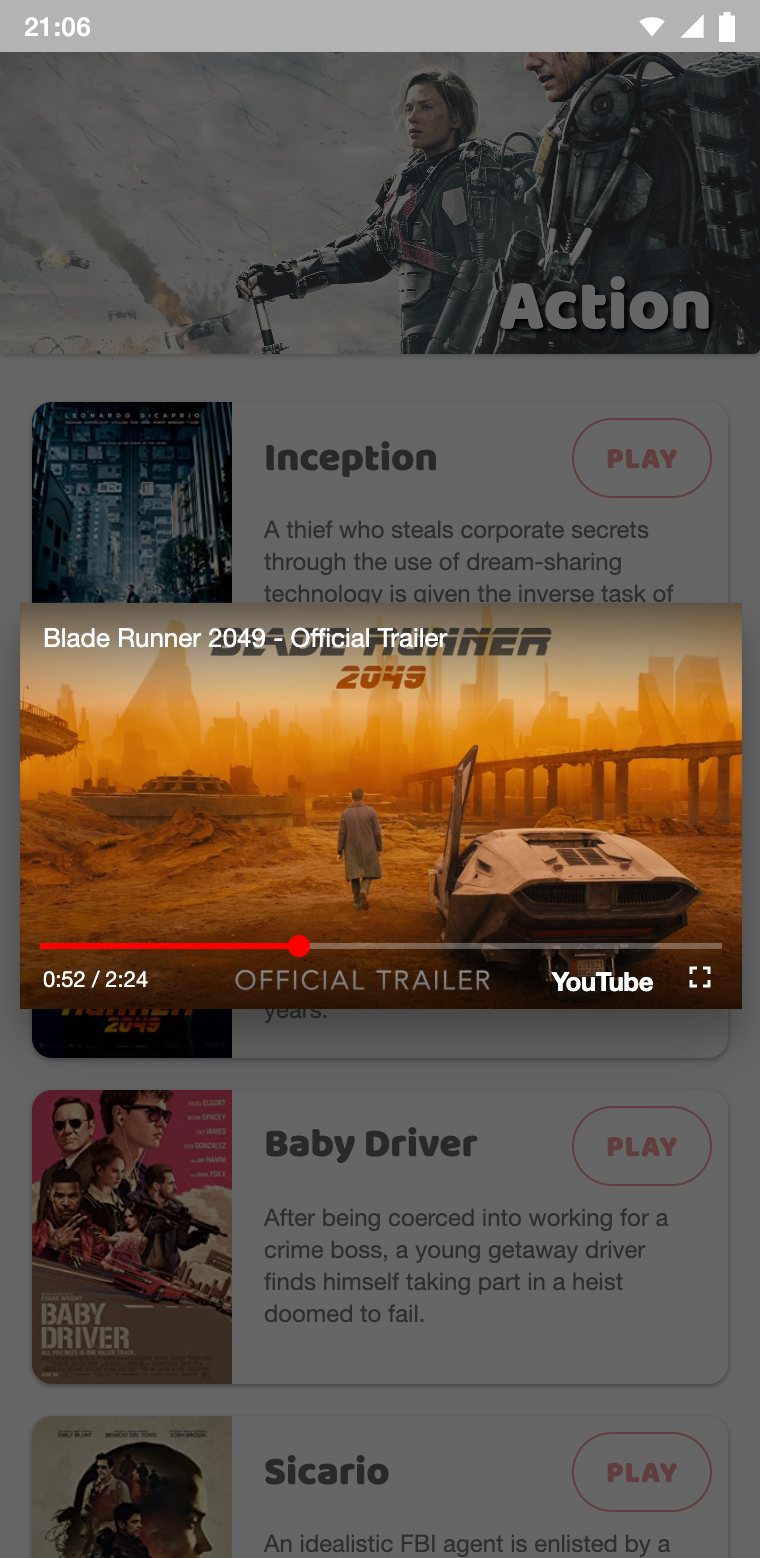
Trailer playing in the in-app YouTube player

An Android app that collects movie and TV trailers by genre and plays them in place, wrapped in a warm, cinematic interface that comes alive as soon as it opens.

Browse

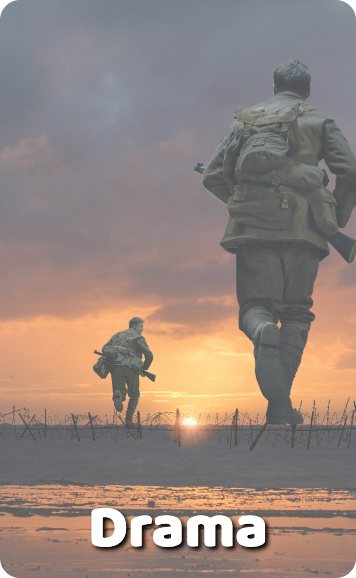
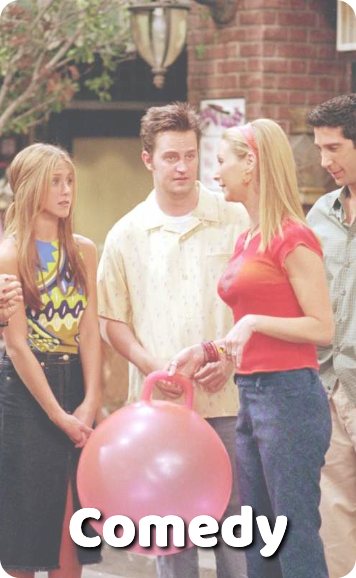
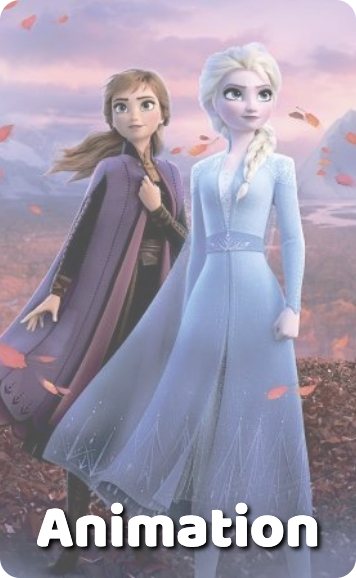
Four genre cards, Action, Drama, Comedy and Animation, each open a curated list of titles with a poster and a short synopsis.

Watch

Every title has a Play button that opens the official trailer in a floating player, powered by the YouTube Android Player API.

Motion

The genre cards slide in from four directions, and buttons spring back when pressed, using Android property animations.

4genres
16trailers
6activities
1weekend to build

THE IDEA

Movie Stack answers a simple question: what should we watch tonight? Instead of searching a video site and scrolling past unrelated results, the app keeps a hand-picked stack of movies and series, sorted by genre, each one a tap away from its official trailer.

It is a native Android app written in Java. The trailers play inside the app, in a floating player built on the YouTube Android Player API, so the viewer never leaves the list they are browsing.

Home screen with the four genre cards
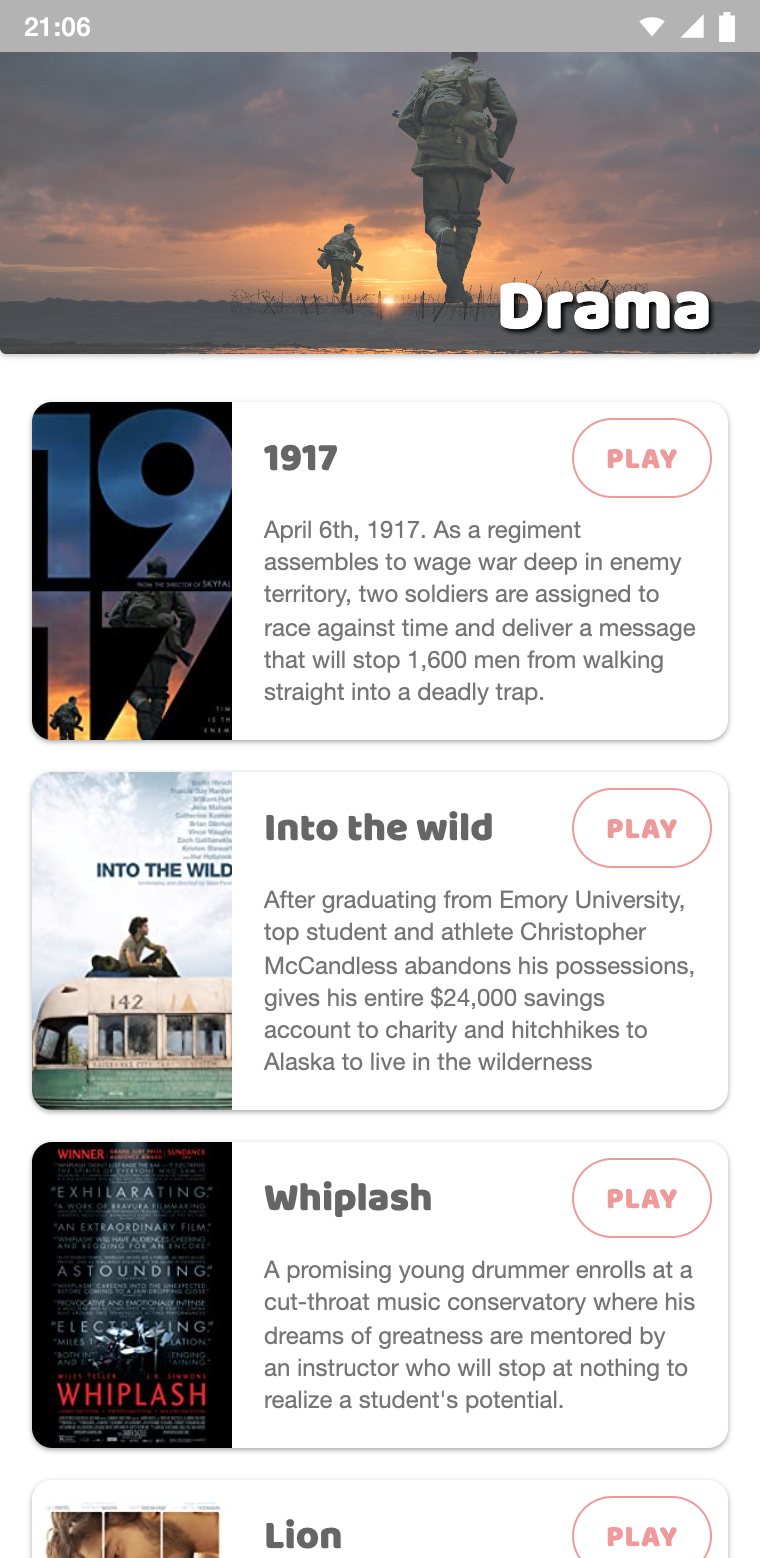
Drama list with four movie trailers

APP FLOW

LaunchMainActivityGenre cardsAction4 trailersDrama4 trailersComedy4 trailersAnimation4 trailersPlayerActivityDialog · VIDEO_IDYouTube Player APIinitialize · loadVideoYouTubeTrailer streamIntentYouTube APIBack LaunchMainActivityGenre cardsAction4 trailersDrama4 trailersComedy4 trailersAnimation4 trailersPlayerActivityDialog · VIDEO_IDYouTube Player APIinitialize · loadVideoYouTubeTrailer streamIntentYouTube APIBack

App flow: each genre list hands a YouTube video ID to the player, Back returns to the list

Launch

The app opens on the home screen, and the four genre cards slide into place.

Pick a genre

Each card starts its own list activity: Action, Drama, Comedy or Animation.

Choose a title

Every list shows four titles with a poster, a name and a short synopsis.

Press play

The button springs back and sends the trailer's YouTube video ID to the player.

Back to the list

The player floats over the list, so Back returns exactly where you were.

THE HOME SCREEN

The home screen is a 2 × 2 grid of genre cards under a golden MovieStack title. Each card is a CardView with rounded corners, a cinematic still and the genre name in the rounded Baloo typeface, with a soft shadow to keep it readable over any image.

When the app opens, the cards slide in from four directions, one after another, while they fade in. The animation is replayed here, with the same distances, durations and delays as in the app.

MovieStack Action genre card Drama genre card Comedy genre card Animation genre card

The home screen entrance, replayed from animateCards()

4 TRAILERS

Action

Inception, Blade Runner 2049, Baby Driver and Sicario: heists, chases and dream-sharing.

4 TRAILERS

Drama

1917, Into the Wild, Whiplash and Lion: stories of war, freedom, ambition and family.

4 TRAILERS

Comedy

Friends, Suits, Knives Out and Casual: two classic series, a mystery and a family comedy.

4 TRAILERS

Animation

Zootopia, Frozen, Inside Out and South Park: from Disney and Pixar to Colorado.

MOTION

JAVAMainActivity · Animation
private void animateCards() {
Animation.slideY(cardAction, -100.0f, 500, 200, new DecelerateInterpolator());
Animation.slideX(cardDrama, 100.0f, 500, 300, new DecelerateInterpolator());
Animation.slideY(cardAnimation, 100.0f, 500, 400, new DecelerateInterpolator());
Animation.slideX(cardComedy, -100.0f, 500, 500, new DecelerateInterpolator());
}

public static void slideY(View view, float value, int duration, int delay, Interpolator i) {
view.setTranslationY(-value);
ObjectAnimator translationY = ObjectAnimator.ofFloat(view, View.TRANSLATION_Y, 0);
translationY.setDuration(duration);
translationY.setStartDelay(delay);
translationY.setInterpolator(i);
changeAlpha(view, 0.0f, 1.0f, duration / 2, delay, i);
translationY.start();
}

All the motion lives in a small Animation helper. slideX and slideY move a view 100 dp away, then bring it back with an ObjectAnimator on its translation, while an AlphaAnimation fades it in during the first half.

Each card gets a different direction and a delay 100 ms later than the previous one, so the grid assembles itself in a quick, staggered wave. A DecelerateInterpolator makes every card land softly.

TRANSLATION

Slide in

Action rises from below, Drama comes from the left, Animation drops from above and Comedy arrives from the right.

ALPHA

Fade in

Each card fades from transparent to opaque in 250 ms, half the length of the slide.

TIMING

Stagger

Start delays of 200, 300, 400 and 500 ms turn four animations into one choreographed entrance.

SCALE

Press feedback

Play buttons shrink to 90 % with an accelerating curve, then spring back with an OvershootInterpolator.

THE GENRE LISTS

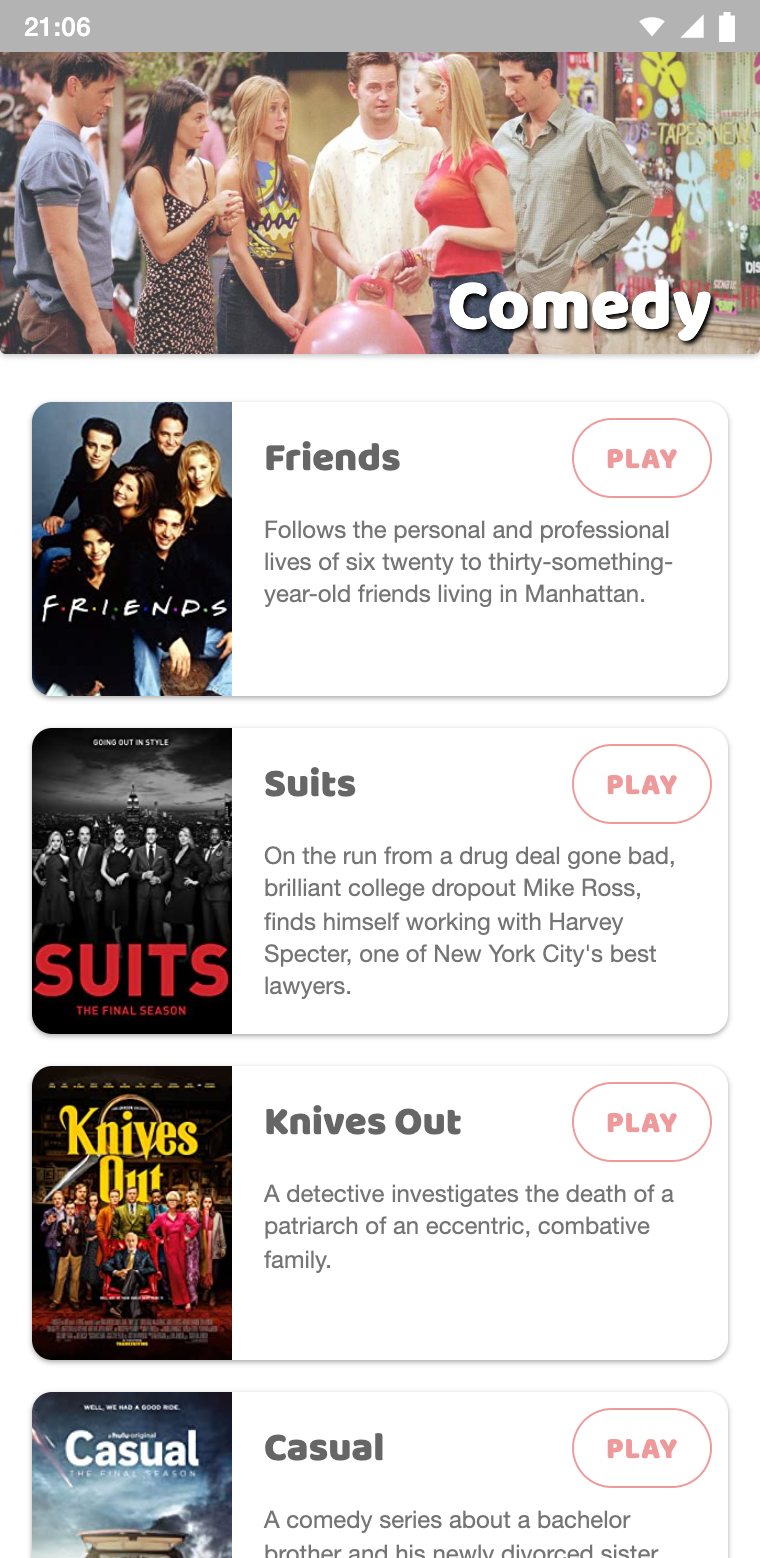
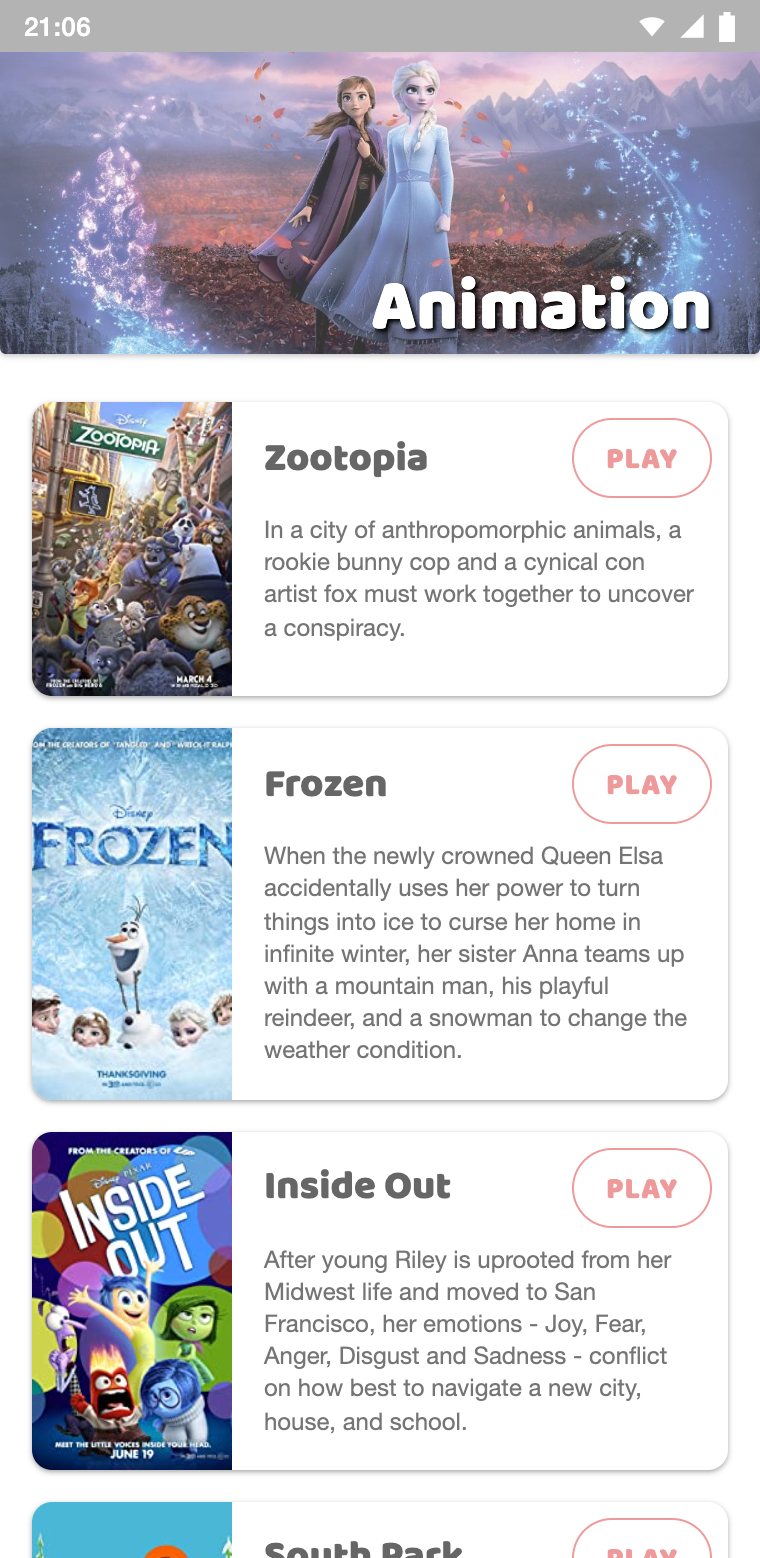
Each genre opens its own screen. A wide banner with the genre name sits on top, and the titles scroll underneath as rounded cards: a poster on the left, the title and a short synopsis on the right, and an outlined Play button in the corner.

Action list on a phone

ACTION

Action

The banner shows a still from Edge of Tomorrow, above four high-stakes action titles.

Drama list on a phone

DRAMA

Drama

A soldier walks into the sunset of 1917, setting the tone for the dramas below.

Comedy list on a phone

COMEDY

Comedy

The cast of Friends opens a mix of comedies and much-loved series.

Animation list on a phone

ANIMATION

Animation

Anna and Elsa from Frozen II lead the way to four animated favorites.

THE TRAILER PLAYER

Pressing Play gives the button a short press animation and starts PlayerActivity, with the trailer's YouTube video ID passed along as an Intent extra. The activity uses a dialog theme, so the player floats over the dimmed list instead of replacing it.

Inside, a YouTubePlayerView is initialized with the API key, and as soon as the player is ready, it loads the video. The player can rotate freely, and it keeps playing when the phone turns to landscape.

Action list before pressing Play
Blade Runner 2049 trailer playing in the floating player
JAVAActionMovieListActivity · PlayerActivity
// Blade Runner 2049
buttonPlayMovie2.setOnClickListener(view -> {
Animation.press(view);
startPlayer(Constants.ACTION_MOVIE_BLADE_RUNNER_ID);
});

private void startPlayer(String videoID) {
Intent playerActivityIntent = new Intent(this, PlayerActivity.class);
playerActivityIntent.putExtra(Constants.VIDEO_ID, videoID);
startActivity(playerActivityIntent);
overridePendingTransition(0, 0);
}

// PlayerActivity.onCreate
videoID = intent.getStringExtra(Constants.VIDEO_ID);
YoutubePlayer youtubePlayer = new YoutubePlayer();
youtubePlayer.play(playerView, videoID);

NAVIGATION

Intent extra

The list activity sends only the video ID, stored as a constant, so the player stays generic for every title.

THEME

Dialog theme

A Material dialog theme without an action bar makes the player float over the list, with a dimmed background.

MANIFEST

Rotation

With a fullSensor orientation and its own configChanges, the trailer keeps playing when the phone rotates.

PLAYER

YouTube API

The YouTube Android Player API handles streaming, controls and full screen, and reports success or failure through a listener.

BUILT WITH CONSTRAINTLAYOUT

The home screen is laid out with ConstraintLayout guidelines placed at a percentage of the screen: the title sits above 15 %, the rows split at 55 %, the grid ends at 95 % and a vertical guideline at 50 % divides the columns. On any screen, tall or compact, the cards stretch proportionally and the layout keeps its balance.

Guidelines

Percentage guidelines keep the grid proportional on every screen.

CardView

Rounded 10 dp corners and a soft elevation for every card.

Drawables

A 45° orange gradient for the title and outlined pills for Play.

Typography

The rounded Baloo typeface, loaded as a downloadable Google Font.

UNDER THE HOOD

6 ACTIVITIES

Activities

MainActivity, one activity for each genre and the PlayerActivity: six screens, each with a single responsibility.

UTIL

Animation

Reusable helpers for slide, fade and press effects, shared by every screen in the app.

UTIL

Constants

All 16 YouTube video IDs in one place, named after their genre and title, plus the Intent extra key.

UTIL

YoutubePlayer

Wraps the player setup: it initializes the view and loads the video once the player is ready.

RESULTS & NEXT STEPS

Results

A polished, animated Android app built in a single weekend: 16 trailers across 4 genres, a floating in-app player, and a layout that adapts to any phone thanks to percentage guidelines.

Future direction

Load titles from a movie API such as TMDB instead of fixed lists, replace the four list activities with one RecyclerView screen, add search and favorites, keep the API key out of source control and move to the IFrame-based YouTube player.