Case study · Master's thesis · IoT + Spring Boot + Android · 2021
Live OBD-II data from a running car, delivered over the internet to an Android app, at any distance.


An end-to-end IoT system that connects a regular car to the internet, from the OBD-II port to the palm of your hand.
An ELM327 interface links the car's OBD-II port to a Raspberry Pi 3 B+, where a Python script continuously queries the vehicle and stores the results in MySQL.
A Spring Boot REST API running on the same board exposes the database to the internet through a layered architecture and a complete set of CRUD endpoints.
An Android app turns raw data into live dashboards, sensor graphs and diagnostics, and adapts to every car it is connected to.
Modern cars are networks on wheels: dozens of electronic control units exchange data over the CAN bus, and the standardized OBD-II port gives access to much of it. Yet this information usually stays inside the car, visible only when a technician plugs in a diagnostic tool.
Developed as my master's dissertation in Advanced Microelectronics at the University POLITEHNICA of Bucharest, this project sets that data free. It reads a running vehicle in real time, makes its parameters available on the internet, and lets the driver monitor the car from any distance, and even act on it, from an Android phone.
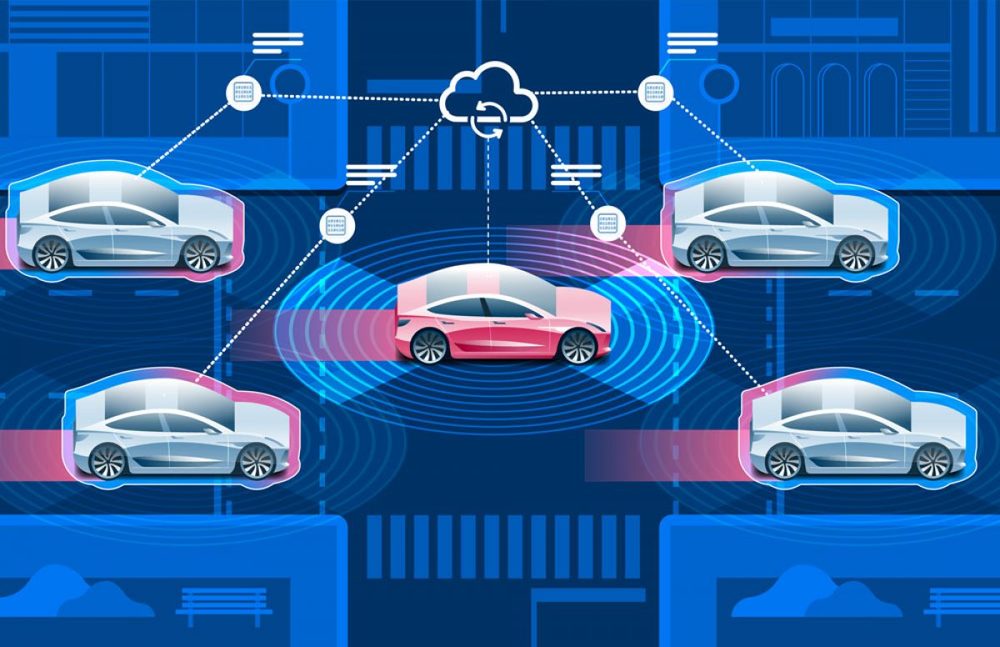
Connected vehicles: data that leaves the car, in real time
System data flow: data travels from the car to the phone, requests travel back
Electronic control units share their data over the CAN bus, exposed through the OBD-II port.
A wired adapter translates the on-board diagnostic protocols into serial data over USB.
Powered from the car's 12 V socket and online through a mobile internet dongle, it hosts the Python script, the MySQL database and the API.
Spring Boot makes the database available on the internet through HTTP endpoints.
Displays the data in real time and sends the driver's requests back to the system.
Because the system is RESTful, client and server are fully decoupled: the app knows nothing about the car or the board, only about the API. Communication is also two-way. Data travels from the vehicle to the phone, while requests such as clearing trouble codes travel back the other way.
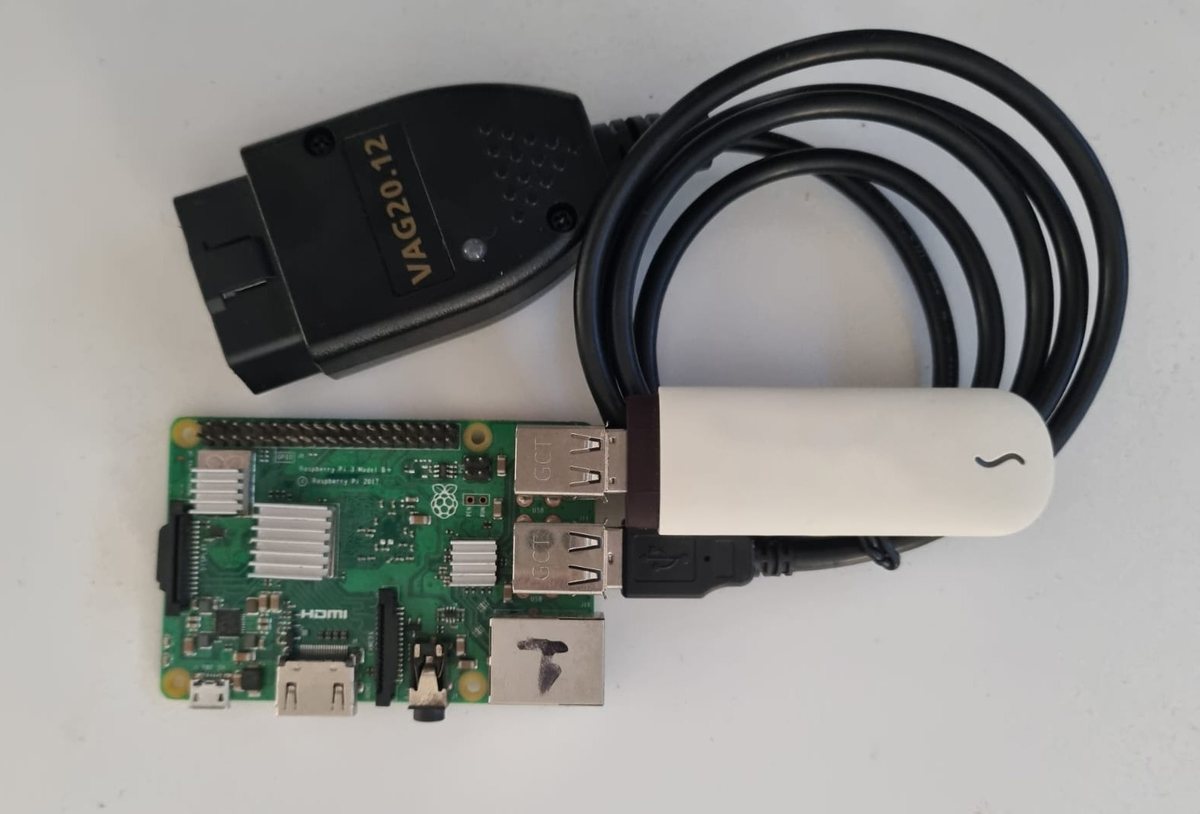
On the hardware side, an ELM327-based cable connects the vehicle's OBD-II port to the USB port of a Raspberry Pi 3 B+. The ELM327 microcontroller speaks all major on-board diagnostic protocols, including ISO 15765-4 CAN, ISO 14230-4 KWP, ISO 9141-2, SAE J1850 PWM/VPW and SAE J1939, making the system compatible with most cars on the market.
On the board, a Python script built on the python-OBD library runs continuously. OBD communication is request-response: the script sends Parameter IDs (PIDs), the vehicle answers, and the library parses each response into a typed value, ready to be stored.
The acquisition hardware: ELM327 cable, Raspberry Pi 3 B+ and internet dongle
Before collecting anything, the script asks the car which parameters it supports, using the PIDS_A, PIDS_B and PIDS_C commands (0x00, 0x20, 0x40). Only valid requests are sent from then on, so the same script works on any vehicle.
The data set was defined by analyzing real driving data from my own car with a Bluetooth ELM327 reader. 55 parameters were selected and grouped into 5 categories: information, performance, sensors, emissions and trouble codes.
The board constantly interrogates the vehicle. Each value is converted to the type and format of its database column and persisted right away, keeping the delay between the car and the app to a minimum.
Data is written only for the profile marked active in the database, so every vehicle keeps its own current and historical records.
The vehicle_data MySQL database, administered with phpMyAdmin, is the data hub of the system. It is organized in 6 tables: one for each data category, plus a profiles table that lets a single installation serve up to four vehicles.
The profile name acts as the primary key across the category tables, so every query returns only the data of the selected vehicle. Creating a profile inserts an empty record in each table, ready to be filled by the acquisition script.
Each table is mapped to a JPA entity in the API
TBLPROFILE
Name, brand, model and year for up to four vehicles, plus an Active flag marking the profile in use. Only one profile can be active at a time.
TBLINFORMATION
Static identity data: VIN, engine and fuel type, main ECU name, ECU hardware and software versions, type approval number and last programming date.
TBLPERFORMANCE
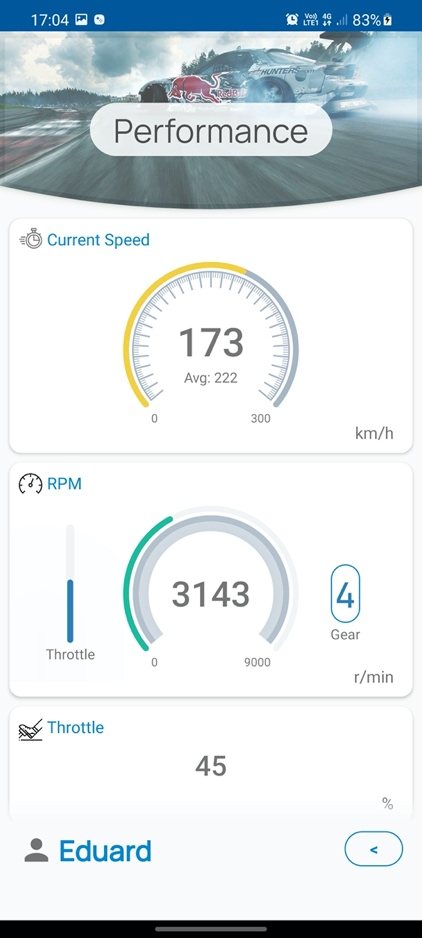
Live driving parameters such as current and average speed, engine RPM, selected gear, throttle and torque, updated in real time.
TBLSENSOR
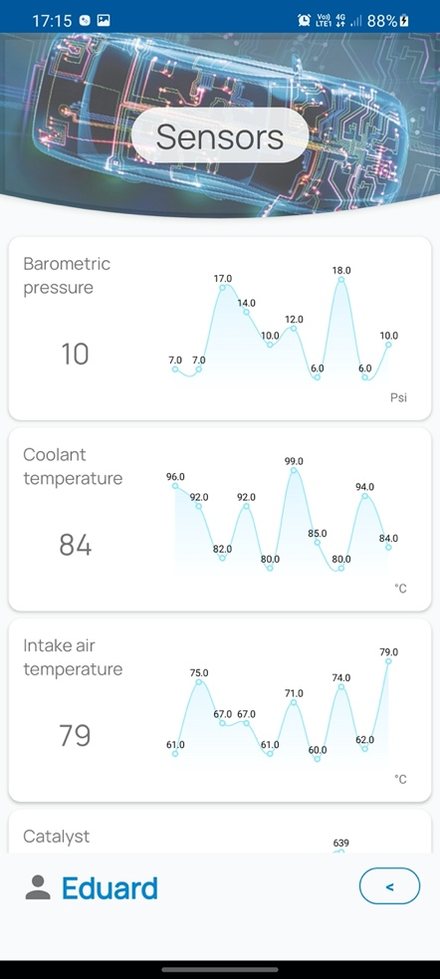
Readings from 23 sensors, from coolant and intake air temperature to barometric pressure, fuel level and battery voltage. Each column keeps its last 10 values, feeding the app's graphs.
TBLEMISSION
Emission monitor flags, each stored as N/A, FAILED or PASSED. A failure is raised when an emission sensor exceeds its threshold.
TBLDTC
Every recorded DTC with its code, description and date. A profile can hold many codes, so this table uses an auto-incremented id as its key.
vehicledata-api is a Spring Boot web service running on the Raspberry Pi. It is the bridge between the database and the mobile app: it exposes the stored data on the internet and handles every create, read, update and delete operation.
It is built with Spring Web, Spring Data JPA, Spring Actuator and RestTemplate, packaged with Gradle, while Lombok removes the boilerplate from the entities. Each table has its own entity, repository, service and controller, keeping every data category cleanly separated.
JPA classes annotated with @Entity and @Table, with attributes mapped one-to-one to the table columns.
Interfaces extending CrudRepository. Spring derives queries such as findDtcDataByProfile from the method names.
Business logic defined by an interface and its implementation, using the injected repository for every database operation.
@RestController classes that map GET, POST, PUT and DELETE requests to the service methods.
6 resources · 38 endpoints · base path /vehicledata-api
/{resource}/All records/{resource}/{profileName}Records of one vehicle profile/{resource}/postCreate from an object/{resource}/post/jsonCreate from a JSON body/{resource}/putUpdate a record/{resource}/delete/{profileName}Delete the records of a profile/info/vin/{vinCode}Look up a vehicle by its VIN/dtc/post/listStore a batch of trouble codes/dtc/delete/{profileName}/{dtcName}Clear a single trouble codeVehicle Data is the face of the system. Written in Java with the Android SDK, it is a client fully decoupled from the server: a dedicated networking class built on OkHttp handles every GET, POST, PUT and DELETE request, with connection pooling and response caching.
The interface is built from custom views and animated with an in-house library based on ObjectAnimator. Data is grouped exactly like the database, and every screen adapts to the selected vehicle, showing only what that car can actually report.
Activity structure: from profile selection to each data category
UP TO 4 VEHICLES
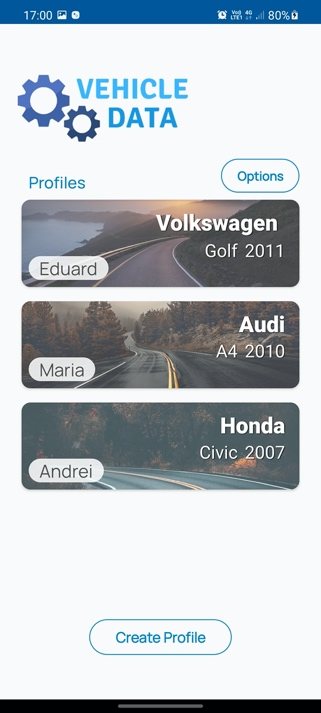
Vehicles are listed as cards. A welcome screen guides the creation of the first profile, and Create Profile is disabled once four profiles exist.
VEHICLE IDENTITY
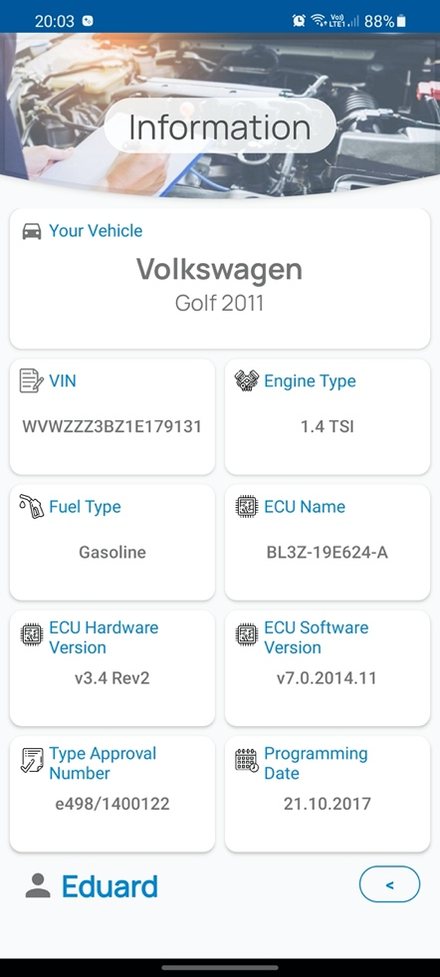
Brand, model and year, followed by the VIN, engine and fuel type, ECU details, type approval number and last programming date read from the car.
LIVE DASHBOARD
An instrument cluster of animated dials for speed and RPM, plus gear, throttle, torque and more. Values and dials change color to draw attention.
REAL-TIME GRAPHS
Each sensor card shows the current value and a graph of the last 10 readings. Sensors the car does not have are hidden automatically.
EMISSION MONITORS
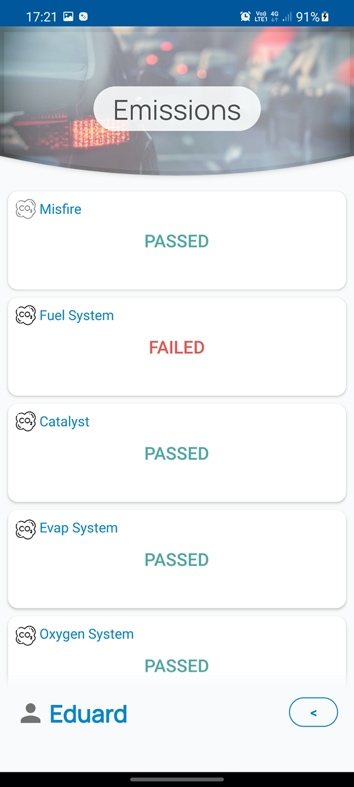
Each emission system is shown as PASSED, FAILED or N/A, making abnormal readings visible at a glance.
TWO-WAY CONTROL
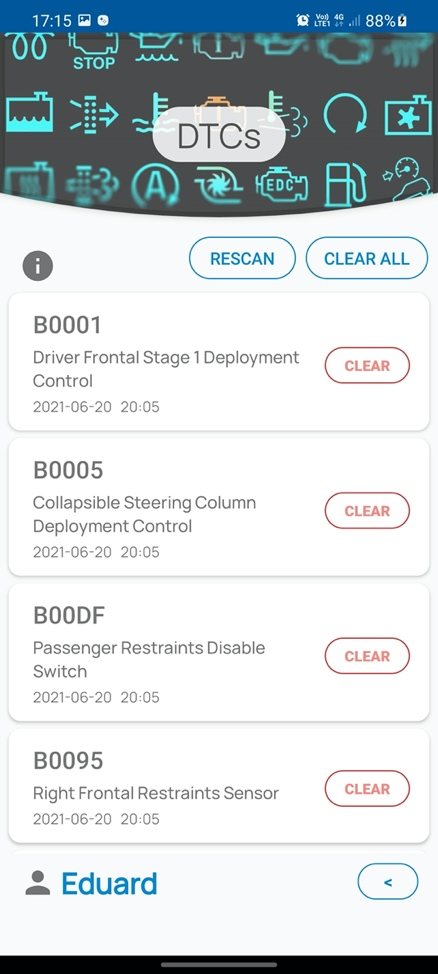
Recorded DTCs with description and date. Rescan on demand, then clear codes one by one or all at once, removing them from the system.
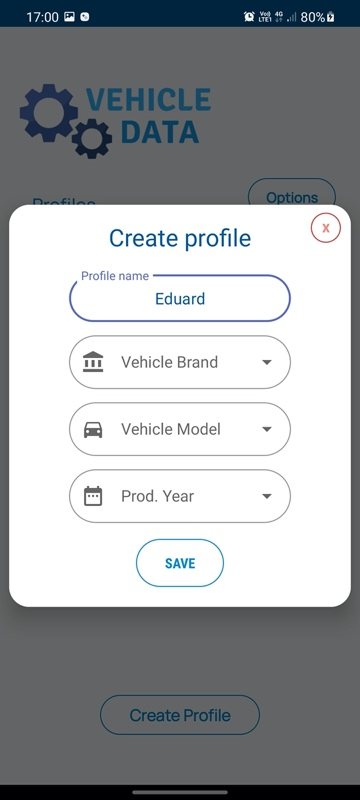
A form asks for the profile name, brand, model and year. Every field is validated, and missing ones are highlighted.
Brand, model and year offer predefined lists. Picking a brand loads its models, and changing the brand clears the model.
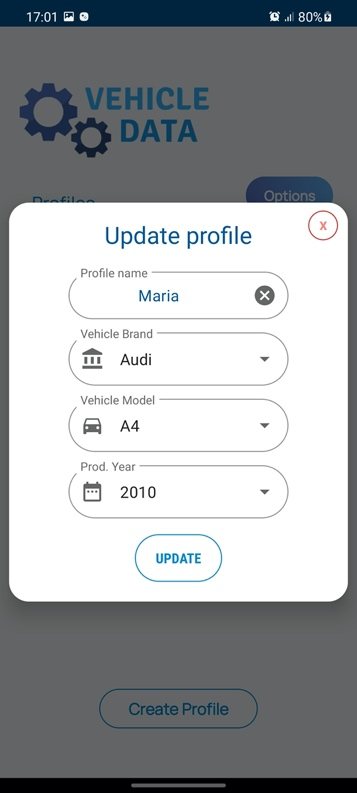
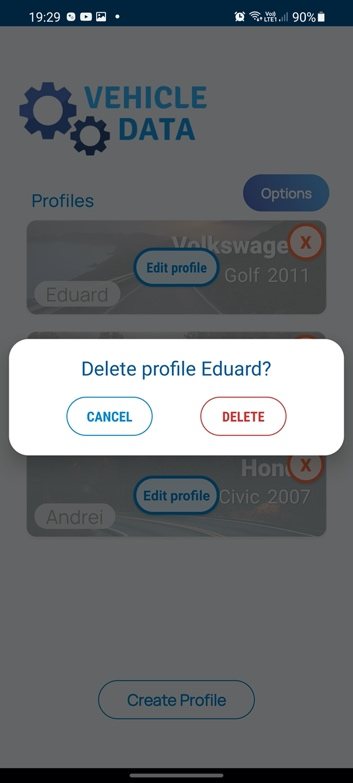
The Options button or a long press reveals edit and delete controls. The update form opens pre-filled with the stored data.
After confirmation, the profile and all of its data are removed from every table.
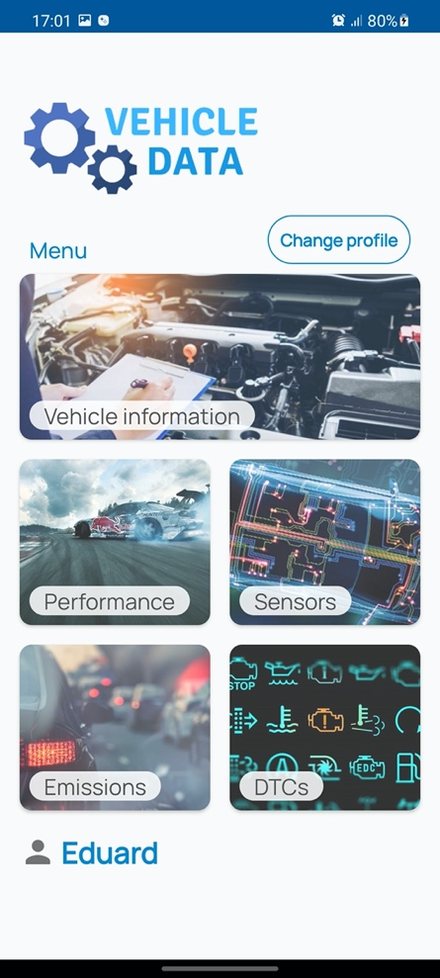
Change profile in the category menu returns to the list, and the active profile is always shown at the bottom of the screen.
The board polls the car continuously, and the app reflects database changes instantly.
Monitor the car over the internet, wherever it is.
Read data from the vehicle and send requests back, such as clearing trouble codes.
Only the parameters supported by the current car are displayed.
A working vehicle monitoring system that can be used over the air, from any distance, as long as there is an internet connection. The RESTful design keeps client and server independent, the API follows good practices with clearly separated layers, and the app delivers a complete, modern monitoring experience for up to four vehicles.
Raise the profile limit and monitor multiple vehicles in parallel. Thanks to the modular architecture, the board hosting the database and API could become a stationary server, while lightweight client boards in each car run the acquisition script and send their data over the air.